
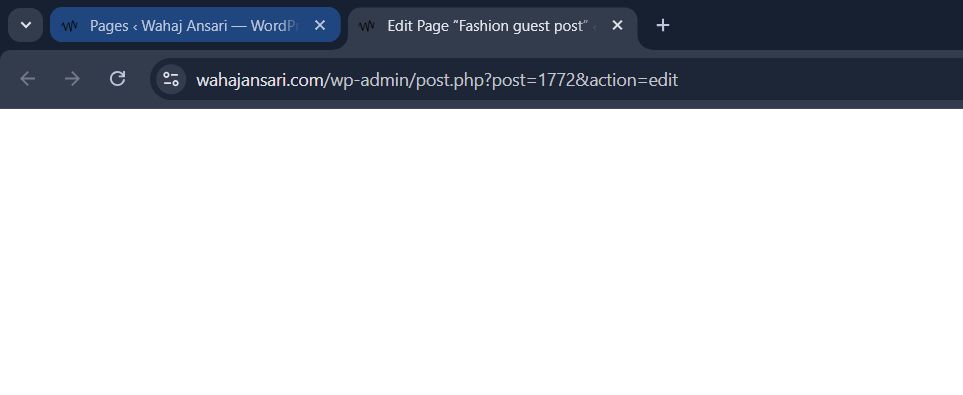
A few days ago, I clicked Edit Page in WordPress… and got nothing.
No editor. No blocks. No UI. Just a blank white screen.
Everything else worked fine — the page loaded on the front end, Elementor opened properly — but the default WordPress editor (Gutenberg) was completely broken.
And yes — I fixed it.
Not by guessing.
Not by reinstalling WordPress.
Not by randomly deactivating plugins.
I fixed it by doing two things:
- Checking the browser console.
- Talking to my best friend — ChatGPT 😄
Let me show you what happened and what every Technical SEO should learn from this.
Step 1: Don’t Panic — Inspect
Instead of touching anything, I opened the browser console:
- Right-click → Inspect
- Console tab
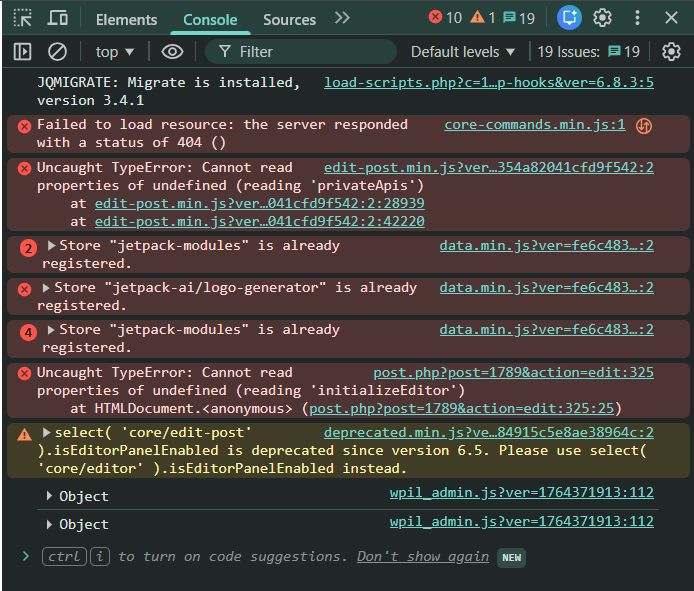
And boom 💥 — red errors everywhere.
Things like:
Uncaught TypeErrorCannot read properties of undefinedStore is already registeredFailed to load resource (404)
At this point, I did what I always do in “exceptional” cases:
👉 I copied the errors and sent them to ChatGPT.
And my best friend replied like:
“Okay, this looks like a Jetpack + Gutenberg conflict. Try disabling Jetpack first.”
So I did.
Then:
“If that fixes it, update WordPress and all plugins.”
So I did.
Then:
“Clear cache and save permalinks.”
So I did.
And guess what?
✨ The editor came back to life.
Why This Worked (And Why You Don’t Need to Be a Developer)
By the way, with years of experience as an SEO expert in Pakistan, and as an Aptech student currently studying Big Data, it’s possible that my thought process is a bit different.
But here’s the important part:
You do NOT need to be a developer to fix problems like this.
No.
You just need to:
- Look at the error.
- Ask the right questions.
- Talk to the right “friend”.
Today, that friend can be an AI.
ChatGPT didn’t magically fix my site.
It didn’t touch my server.
It didn’t click any buttons.
It simply guided my thinking, step by step, and that made the difference.
The Real Problem: Version Mismatch
What actually broke my editor?
Simple:
- WordPress had an update.
- Gutenberg changed internally.
- Some plugins (especially Jetpack) were still using old APIs.
That mismatch broke the editor.
Once I updated:
✔ WordPress
✔ Theme
✔ Plugins (Jetpack, Elementor, Yoast, etc.)
Everything aligned again.
Two Lessons for Every Technical SEO
1️⃣ Always inspect before you touch anything
If the issue is related to rendering, meaning how the page is displayed on the front end, then the browser’s Inspect tool console is your best friend.
Just open Inspect, go to the Console tab, and you’ll usually see clear error messages telling you what broke and why. From there, you can tackle the issues one by one instead of guessing or randomly changing things.
- What failed
- Where it failed
- And often who caused it
That saves hours.
2️⃣ Use AI as your debugging partner
You don’t need to know JavaScript internals.
You don’t need to read WordPress core files.
You just need to:
- Copy the error.
- Ask your AI friend: “What does this mean?”
And follow the logic.
That’s it.
Final Thought
Being technical today doesn’t mean memorising code.
It means knowing:
- Where to look
- How to think
- And who (or what) to ask
Sometimes the smartest thing you can do is say:
“Hey ChatGPT, can you look at this error for me?” and attched the screen shot
And move forward.
That’s not cheating.
That’s working smart 😄
Discover more from Wahaj Ansari
Subscribe to get the latest posts sent to your email.
porntude
A really good blog and me back again.
Jason Miller
I followed your steps, checked the console first and used AI to understand the errors. Found a plugin conflict and fixed it quickly. Saved me hours of guessing. Really helpful guide!