

Your rankings look fine. Search Console shows clicks coming in every day. But the contact form is quiet, and the “Book a Call” button might as well be decoration.
So what is CRO on-page optimization? CRO on-page optimization is the practice of improving the elements on a single page (trust signals, headline, layout, calls to action, forms, and speed) so more of the visitors already landing there take the action you want, like calling, booking, or buying. It doesn’t bring in new traffic. It makes the traffic you already have count.
Most advice on this topic jumps straight to button colors. I start with trust instead, because a visitor who doesn’t believe you won’t click any button, whatever color it is. Below, I’ll cover the trust signals that matter, how to redesign a page with Microsoft Clarity heatmaps, and how to turn your best blog posts into lead sources.
What CRO On-Page Optimization Covers on a Page
On-page conversion rate optimization covers everything a visitor sees and touches on one URL, and nothing outside it. Your ads, emails, and pricing matter too, but they’re a different job. On the page itself, work through these six areas, roughly in this order:
- Trust signals: who wrote the page, who runs the business, and proof that real people trust you.
- Message match: whether the headline confirms the visitor landed in the right place.
- Layout: whether the important stuff sits where people actually look.
- Calls to action: one clear next step, worded like a benefit.
- Forms: only the fields you truly need.
- Speed and stability: a page that loads fast and doesn’t jump around.
Notice what’s missing from that list? Button colors. They’re the last thing I’d test, not the first. A red button on a page nobody trusts is still a page nobody trusts.
Start With Trust: The E-E-A-T Signals That Make People Convert
The fastest CRO on-page optimization win on most sites is showing visitors who is behind the page. When people can see a real author, a real business owner, and real proof, they relax. And relaxed visitors fill in forms.
Here’s why I’m so convinced of this. Google’s guidance on creating helpful content asks whether it’s “self-evident” to visitors who wrote your content, and it says trust is the most important part of E-E-A-T (experience, expertise, authoritativeness, and trust). Think about it: the questions Google asks about your page are the same ones a cautious buyer asks before handing over their phone number.
One honest note, though. Google says E-E-A-T itself isn’t a ranking factor, so don’t treat this as a ranking trick. Treat it as a conversion fix that happens to line up with what Google wants anyway.
Here’s the checklist I’d work through. Each item answers a question your visitor is already asking:
- A byline on every article and key service page, linking to a real author page. (“Who wrote this?”)
- An author page with a photo, role, and background, plus a link to the author’s official LinkedIn profile. (“Is this person real?”)
- An About page that names who runs the business, with real photos instead of stock images. (“Who am I dealing with?”)
- Clear contact details, such as a phone number, email, and address where it applies. (“Can I reach a human?”)
- Social proof people can verify, like third-party reviews, case studies with real names (with permission), and logos of real clients. (“Do other people trust them?”)
- Signs of activity, like recent posts on LinkedIn or social profiles you link to. (“Is this business still alive?”)
That LinkedIn link matters more than people think. A dead profile can hurt more than no link at all, so only link profiles you keep active. And never fake any of it: the same Google guidance calls made-up names, AI-generated headshots, and false credentials deceptive, and buyers usually spot them before Google does.
Let me give you an example. Picture two plumbing sites with the same prices and the same review score, where one shows the owner’s photo, his license number, and his LinkedIn, while the other uses a stock photo of a smiling guy in a hard hat. Which one are you calling at 11 pm with water on the kitchen floor?
How to Use Microsoft Clarity Heatmaps to Redesign a Page
If you only use one CRO on-page optimization tool, make it Microsoft Clarity. It shows you where visitors click, how far they scroll, and where they give up, and it’s free with no traffic limits. Check it before you change a single word on a page.
Here’s the process. You don’t need huge traffic for it, since Clarity has no minimum traffic limit for heatmaps:
- Install Clarity and wait. Add the tracking code (or the official WordPress plugin) and collect a couple of weeks of real visits first.
- Open the scroll map. Find the point where the color drops sharply. Most visitors never see what’s below it, so your best reviews and main CTA shouldn’t live there.
- Open the click map. Check whether people click your main CTA at all. Then look for dead clicks (no response) and rage clicks (fast, repeated clicks in one spot), which usually mean something looks clickable but isn’t, or is broken.
- Check quick backs. Clarity flags a quick back when a visitor clicks through to another page and comes straight back. If one link keeps causing them, its label promises something the destination doesn’t deliver.
- Watch a few recordings. Filter by rage clicks or quick backs and watch five or ten sessions. The heatmap shows where the problem is, and the recording shows why.
- Redesign, then compare. Move the sections people engage with higher, shrink or cut the ones they skip, and fix anything broken. Then use Clarity’s compare feature to see whether behavior changed.
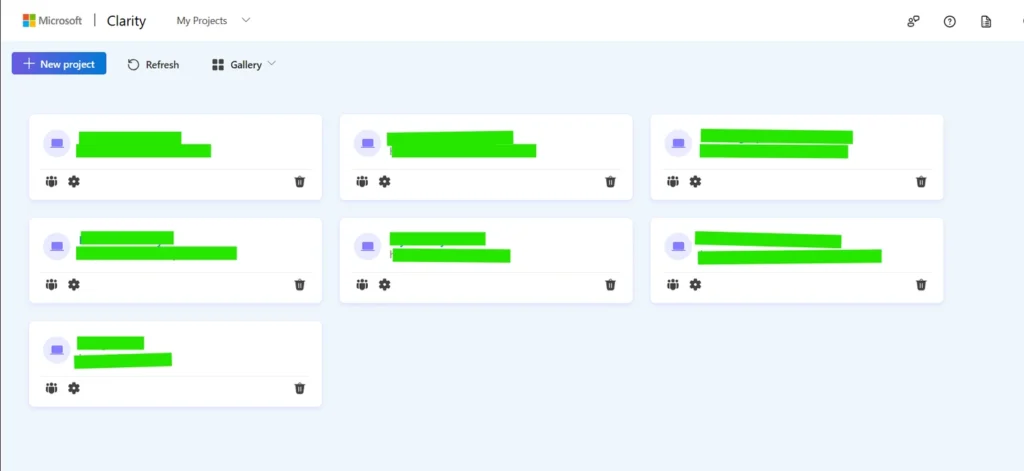
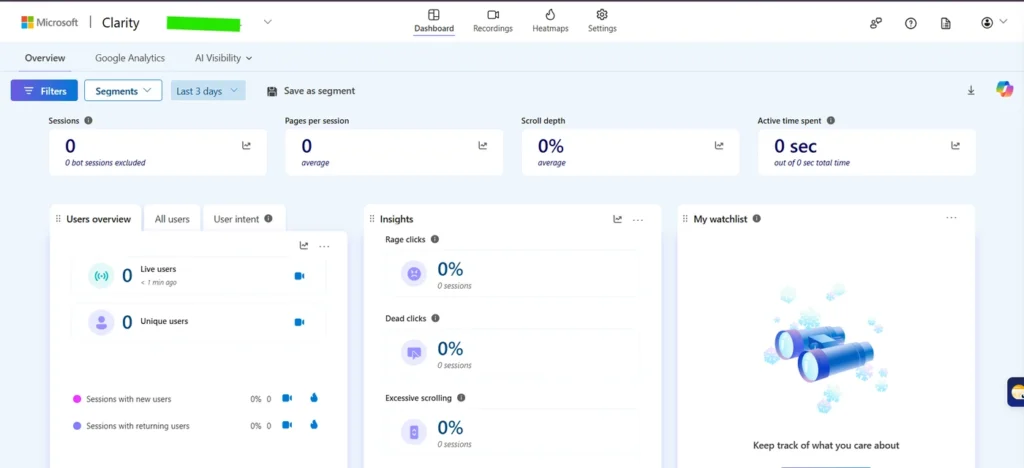
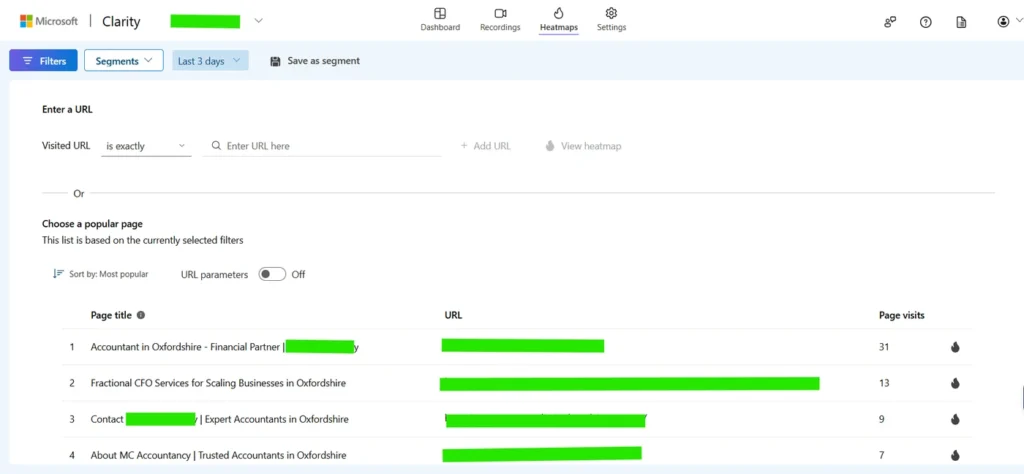
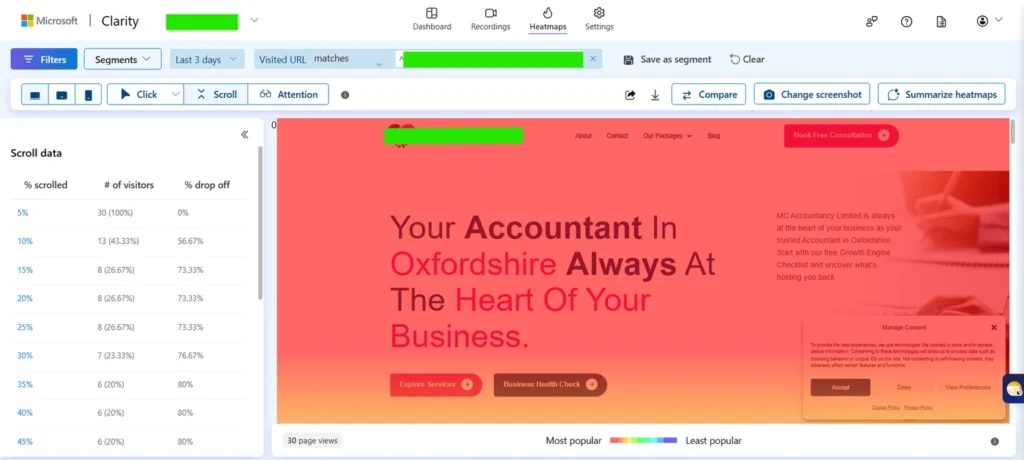
Most people skip this last step, and it’s the one that makes CRO onpage optimization actually work. They look at the heatmap, nod, and change nothing. The point is to rebuild the page around what visitors actually do: if everyone engages with your pricing table and jumps right past your “Our Story” block, the pricing table moves up and the story gets shorter.
Here’s a quick example. Say a service page keeps its reviews in a slider near the bottom, and the scroll map shows most visitors never get that far. Pull your two strongest reviews out and place them right under the hero section, next to the main CTA. Same reviews, but now people actually see them.
CRO Best Practices for Headlines, CTAs, and Forms
Once trust is in place and you know how people move through the page, these CRO best practices handle the rest. They’re simple. Simple isn’t the same as done, though.
Make the Top of the Page Answer “Am I in the Right Place?”
The top of your page does most of the heavy lifting. A 2018 eye-tracking study by Nielsen Norman Group found people spent about 57% of their page-viewing time above the fold and about 74% within the first two screenfuls. Your Clarity scroll map will give you a fresher number for your own site, but the lesson holds: what’s up top gets read.
So match the headline to what the visitor searched or clicked. If someone searched “emergency plumber Houston” and your headline says “Quality Plumbing Solutions Since 1998,” you’ve made them work to confirm they’re in the right place. “24/7 Emergency Plumber in Houston” does that job instantly.
Put your main CTA and one trust snippet (a review count, a credential, or a guarantee) right beside it. Nobody should have to scroll to learn what you want them to do or why they should believe you.
Write CTAs That Promise Something Specific
One page, one primary action. If your service page asks people to call, subscribe, download a guide, and follow you on Instagram, it’s asking for four decisions, and most people will make none. Pick the action that matters and make everything else secondary.
Then word the button like a benefit, not a chore. “Submit” is a chore, while “Get My Free Quote” tells people what they get for clicking, and that’s the heart of landing page conversion optimization. On long pages, repeat the CTA lower down so people don’t have to scroll back up.
Cut Every Form Field You Don’t Need
Every field is one more small reason to quit. Do you really need a company size dropdown to book a discovery call? If not, delete it and ask on the call.
If you genuinely need a lot of details, say for a custom quote, split the form into short steps. That way the first screen feels like a quick question instead of a tax return.
Add E-E-A-T CTAs to Your Best-Performing Blog Posts
Your top blog posts are the most overlooked part of CRO on-page optimization. They already rank and already get visits, yet many end with a generic “Contact us” line or nothing at all. A CTA that carries real author credibility can turn that traffic into leads without writing a single new post.
Here’s how to set it up. Start with the posts that already earn the most visits, because that’s where a small lift pays off most:
- Find your top posts. In Google Search Console, open the Performance report, switch to the Pages tab, and sort by clicks for the last three months.
- Match the CTA to the post’s intent. A post on fixing a leaking tap can offer a same-day plumber visit, while a post explaining technical SEO might offer a free site check.
- Place it where the problem peaks. Add one CTA right after the section where readers realize the problem is harder than they thought, and another at the end.
- Attach a real person to it. Put the author’s name, photo, role, and LinkedIn link right next to the CTA, so the offer comes from someone, not from “the team.”
- Track the clicks. Set CTA clicks or form submissions up as key events in GA4 to see which posts actually produce leads.
Here’s the difference in practice. A generic CTA looks like this:
Need help with this? Contact us today.
An E-E-A-T CTA puts a real person, and a real reason to trust them, right next to the button. It looks more like this:
I’m [your name], and I’ve [one true, specific credential, such as your years in the field or a relevant certification]. If your site has the problem described above, book a free 15-minute call, and I’ll tell you honestly whether it’s worth fixing. [Your photo] [LinkedIn profile link] [Book a call button]
The second version answers the question every reader has before clicking: why should I trust you with this? Fill in the brackets with true details only. Even without a fancy credential, a real name, a clear photo, and an active LinkedIn profile beat a faceless “Contact us” every time.
Fix Page Speed Before You Test Anything Else
Speed is the least exciting part of CRO on-page optimization, but a slow page loses visitors before your headline even appears. In a 2020 study by Deloitte, commissioned by Google, a 0.1-second improvement in mobile site speed lifted conversion rates by 8.4% for retail sites and 10.1% for travel sites. That’s a tenth of a second, roughly the length of a blink.
You don’t have to guess what “fast” means, either. Google’s Core Web Vitals give you clear targets:
- Largest Contentful Paint (LCP): the main content loads within 2.5 seconds.
- Interaction to Next Paint (INP): the page responds to taps and clicks in under 200 milliseconds.
- Cumulative Layout Shift (CLS): a score below 0.1, so buttons don’t jump around while people tap them.
CLS is the sneaky one for conversions. If your CTA shifts right as someone taps it because a banner loaded late, they hit the wrong thing, and that frustration often shows up in Clarity as rage clicks. Run your key pages through PageSpeed Insights, fix the biggest problems first, and only then start testing copy and layout.
How On-Page SEO and CRO Work Together
On-page SEO and CRO work on the same page elements. They just ask different questions: SEO asks whether the page will rank and earn the click, while CRO asks whether the visitor will act once they arrive. When the two fight, you lose either way. A page that ranks but doesn’t convert is an expensive brochure, and a page that converts but can’t rank is a great shop on an empty street.
Here’s how one page element can do both jobs. Get both sides right, and the page earns traffic and turns it into leads:
| Page element | On-page SEO job | CRO job |
|---|---|---|
| Title tag and meta description | Match the search query and earn the click | Set a promise the page has to keep |
| H1 and opening lines | Confirm the topic is relevant | Confirm the visitor landed in the right place |
| Body content | Cover the topic and related questions | Handle objections and build trust |
| Internal links | Help Google crawl and understand your pages | Guide the visitor to the next step |
| Page speed | Feeds into Core Web Vitals | Keeps impatient visitors from leaving |
Where people get burned is testing. If you A/B test pages that already rank, follow Google’s guidance on website testing: never show Googlebot a different version than visitors see (that’s cloaking), point variants to the original with a rel=“canonical” tag, use 302 redirects instead of 301s, and remove the test once you have a winner. Google also warns that running tests longer than necessary can look deceptive, so don’t leave old variants running for months.
My rule here is simple: never rewrite a ranking page’s H1 or opening paragraph for conversions without checking which queries it ranks for. Pull those queries from Search Console, keep the main ones in the new copy, and your CRO on-page optimization won’t cost you the traffic it depends on.
One thing I’ve learned from working on SEO projects is that getting traffic is only half the job. A website can rank well on Google and still struggle to generate leads. When I come across pages with good organic visibility but low conversions, I focus on understanding what’s stopping visitors from taking action rather than simply trying to increase traffic.
My first step is to analyse the data using Google Search Console and GA4. I also use Microsoft Clarity to understand how visitors interact with the page, where they click, how far they scroll, and where they lose interest. I look for common issues like weak CTAs, confusing content, poor mobile experience, and unnecessary steps in contact forms.
Once I identify the problems, I focus on small but meaningful improvements. This includes making CTAs more visible, improving headlines based on search intent, placing customer reviews where visitors can easily see them, simplifying forms, and improving page speed. I also make sure these CRO changes don’t negatively affect existing keyword rankings or on-page SEO.
For me, CRO and SEO should always work together. Bringing more visitors to a website is important, but making sure those visitors turn into leads or customers matters just as much. Sometimes, improving the experience for your existing traffic can be more valuable than chasing additional rankings.
How to Measure Website Conversion Optimization Results
You measure website conversion optimization with one number per page: the conversion rate, which is conversions divided by visitors, multiplied by 100. If a service page gets 1,000 visits a month and 20 people submit the form, it converts at 2%. Simple math, but only if you’re actually tracking the form.
Set your form submissions, calls, and bookings up as key events in GA4, then note each page’s conversion rate before you change anything. That baseline is what every CRO onpage optimization change gets judged against. Without it, you’re just redecorating.
Small sites need a different approach, and that’s fine. A proper A/B test needs enough traffic for a reliable result, and a page with a few hundred visits a month rarely gets there in reasonable time. So make one meaningful change at a time, compare equal periods before and after, and check Clarity’s heatmap comparison to see whether behavior shifted. It’s not lab-grade science, but it beats changing five things at once and guessing which one worked.
FAQs
What’s a good conversion rate for a landing page?
There’s no single good number, because conversion rates swing widely by industry, offer, and traffic source. A free checklist download should convert far higher than a $5,000 service inquiry. The most useful benchmark is your own page’s last 90 days, and the goal is to beat it steadily.
Which pages should I optimize first?
Start your CRO on-page optimization with pages that get steady traffic and sit closest to revenue: main service pages, paid landing pages, and your top blog posts. That’s where conversion rate optimization techniques pay off fastest, because a small lift multiplies across lots of visits. Leave low-traffic pages for later, since you won’t be able to tell whether a change worked.
How long does CRO on-page optimization take to show results?
Simple fixes like a clearer headline, a shorter form, or a CTA moved higher can show results within a few weeks, depending on your traffic. Give each change at least two full weeks so both weekday and weekend behavior show up in the data. After that, CRO on-page optimization becomes an ongoing habit, because visitors, offers, and competitors keep changing.
Should I use pop-ups to get more conversions?
Use them carefully. Google’s guidance on intrusive interstitials says overlays that cover the whole page can hurt search performance, and it suggests small banners instead. A small banner or a slide-in that appears after someone has read part of the page is a much safer middle ground than a pop-up that hits people the second they land.
Final Thoughts
If you remember one thing from this post, make it this: people don’t convert on pages they don’t trust. Before you touch a button color, put a real name, a real face, and real proof on the page. Then let Clarity show you what visitors actually do, and rebuild the page around that.
CRO onpage optimization isn’t a one-time project. It’s a habit: check your heatmaps every month, fix what’s broken, add credible CTAs to the posts that already bring traffic, and measure everything against your baseline. Do that consistently, and you’ll get more leads from the traffic you’re already earning.
Discover more from Wahaj Ansari
Subscribe to get the latest posts sent to your email.